Feature tour
Every part of Degresh Finance, one at a time.
Everything below writes to the same double-entry ledger. Jump to the part you care about, or read from the top.
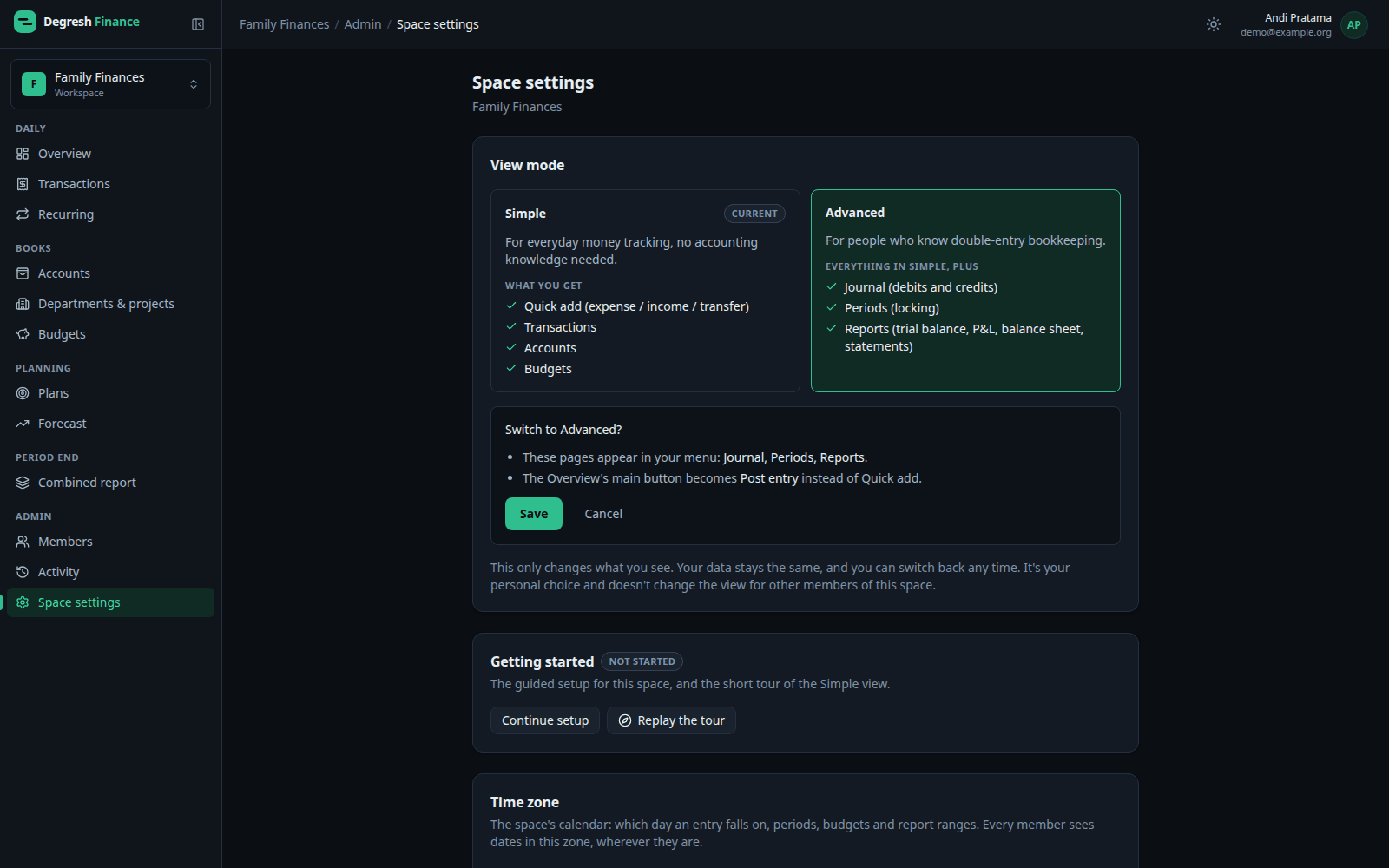
Simple and Advanced views
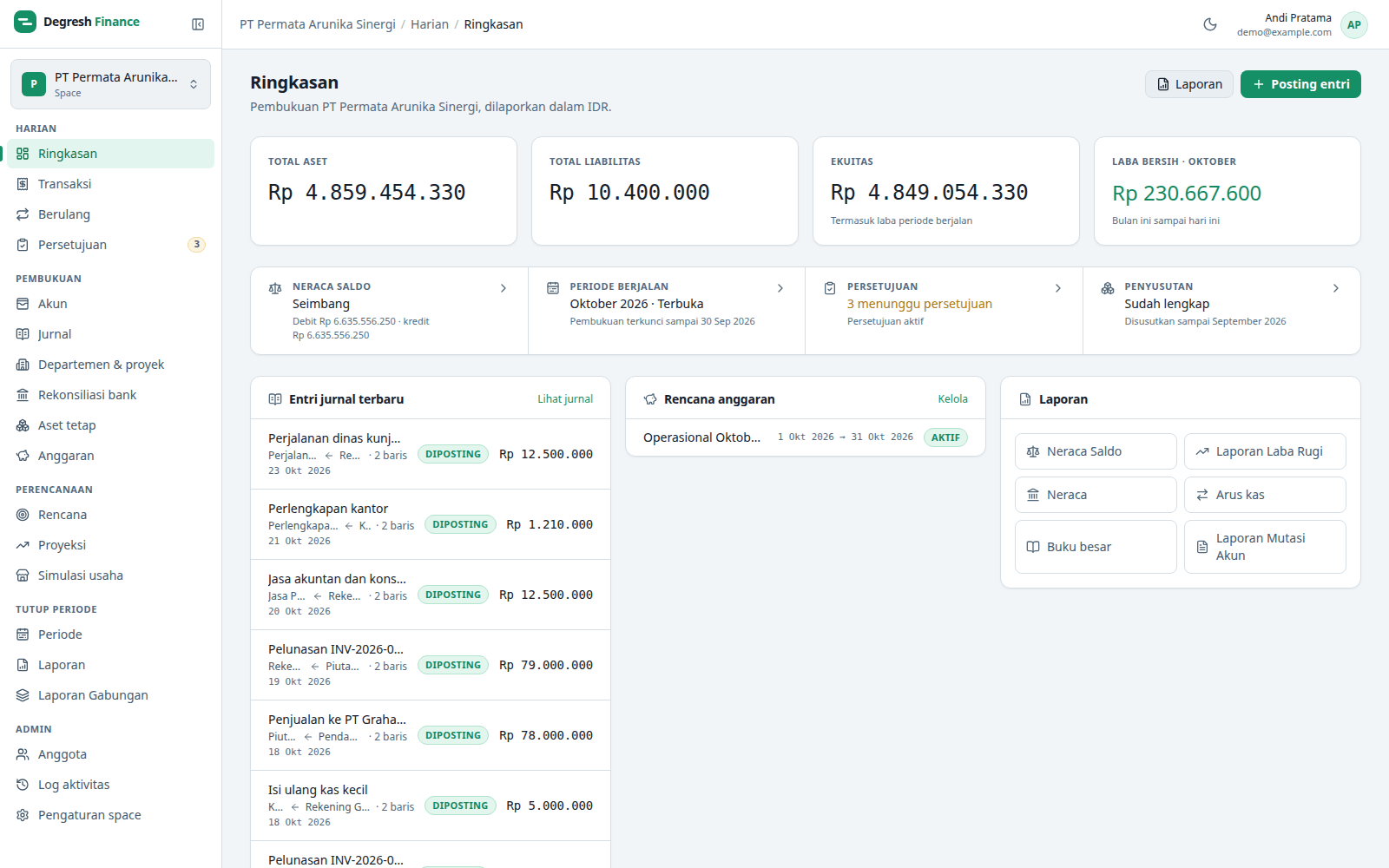
Two ways to use the same books. Each person picks their own view in each space, and can switch at any time.
- Simple shows Overview, Transactions, Accounts and Budgets, with Quick add as the main button.
- Advanced adds Journal, Periods and Reports, with Post entry as the main button.
- Wording follows the view: Debt and Income in Simple, Liability and Revenue in Advanced.
- Switching moves or changes no data at all.
Spaces, members and roles
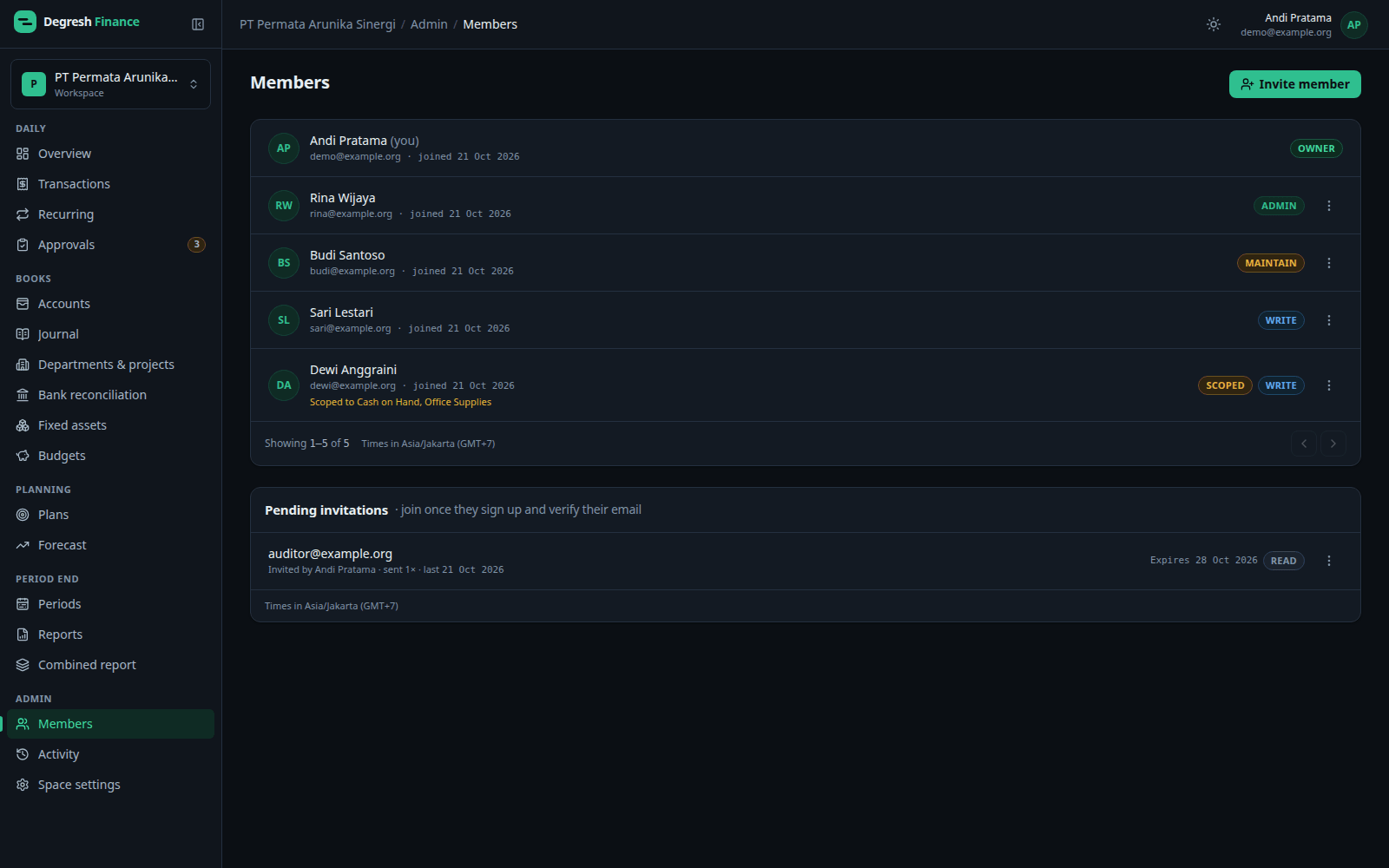
A space is a separate shared ledger — for one company, one team or one household.
- Personal or Business type, with its own base currency and time zone.
- A starter chart of accounts you pick group by group when creating the space.
- Five access levels: Read, Write, Maintain, Admin and Owner.
- Scoped access: limit a member to specific accounts only.
- Invitations by email; people without an account sign up first.
Accounts and chart of accounts
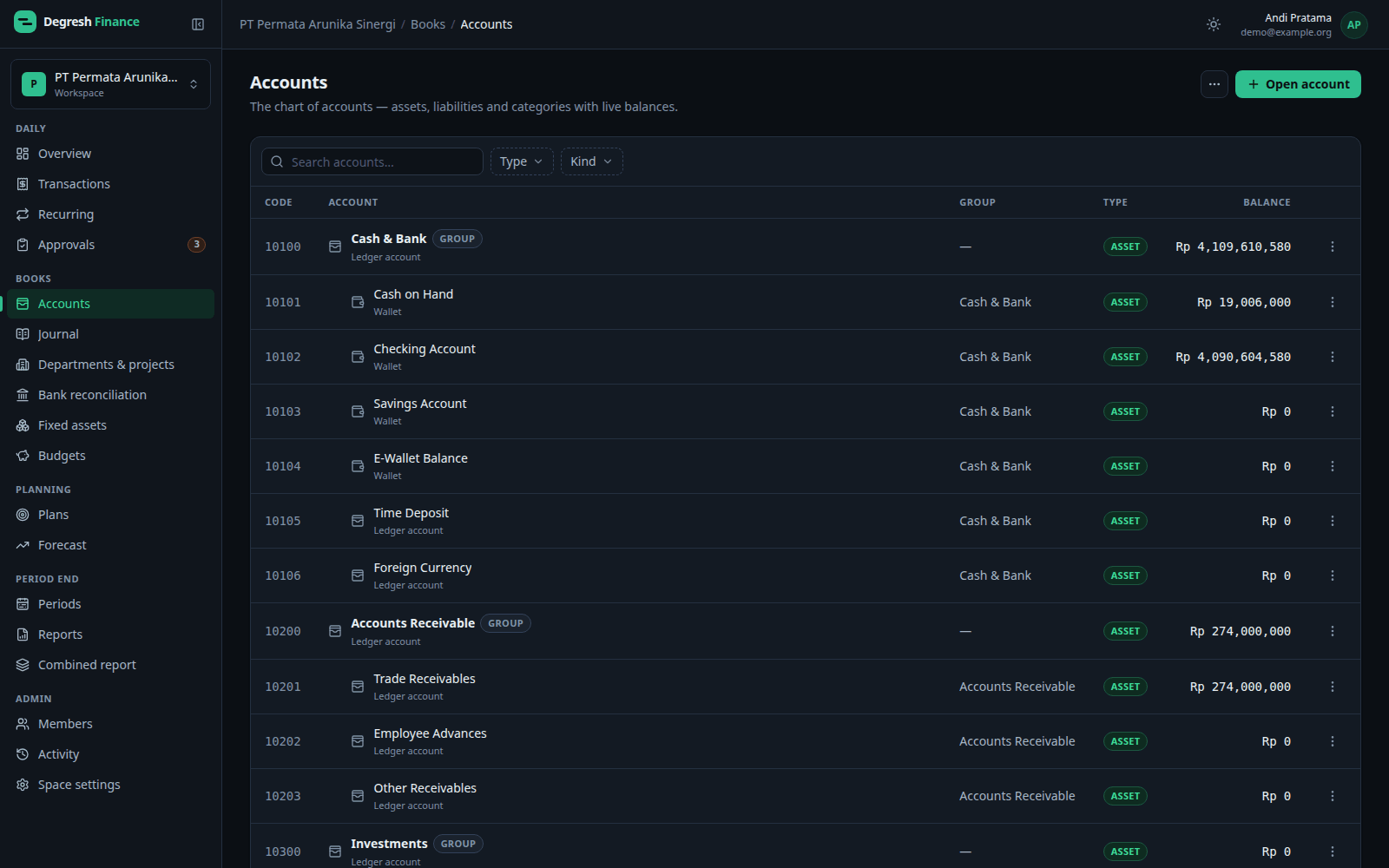
Accounts are the ledger's spine. Wallets, credit cards and loans are just details on top of a normal ledger account.
- Accounting types: Asset, Liability, Equity, Revenue and Expense.
- A parent account becomes a group that totals its sub-accounts, with optional account codes.
- Wallet, credit card (limit, statement day) and loan details.
- Cash flow classification per account for the cash flow statement.
Transactions and journal
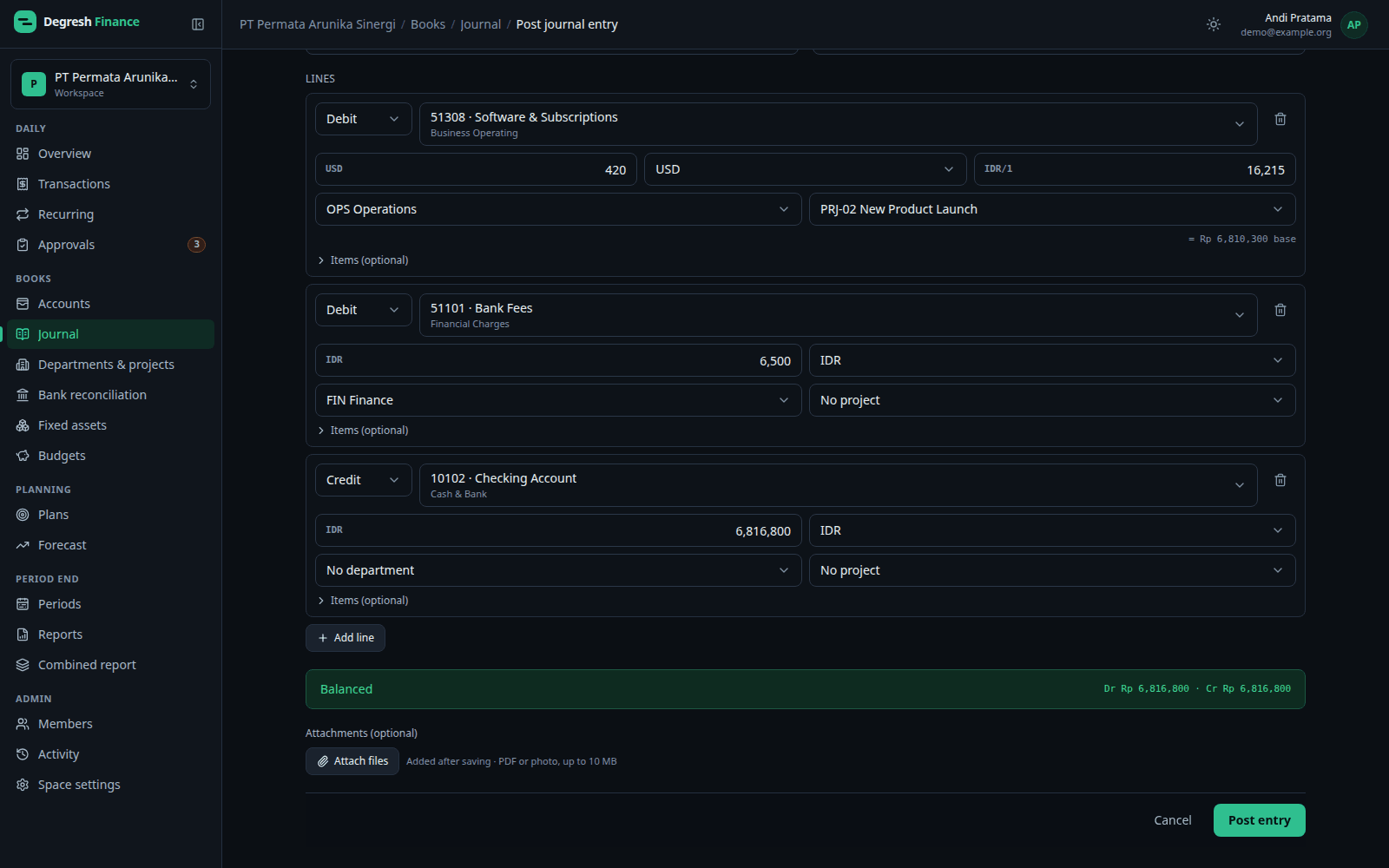
Quick add for everyday entries, a multi-line journal for accounting. Both produce a balanced double entry.
- Quick add: an expense, income or transfer — the journal is written for you.
- Multi-line debit and credit journal; total debits must equal total credits.
- Each line has its own transaction currency and rate (entered, ECB rate, or imported).
- Departments and projects on every journal line for cost analysis.
- Attach evidence: PDFs or photos, up to 10 MB each.
Recurring entries and approvals
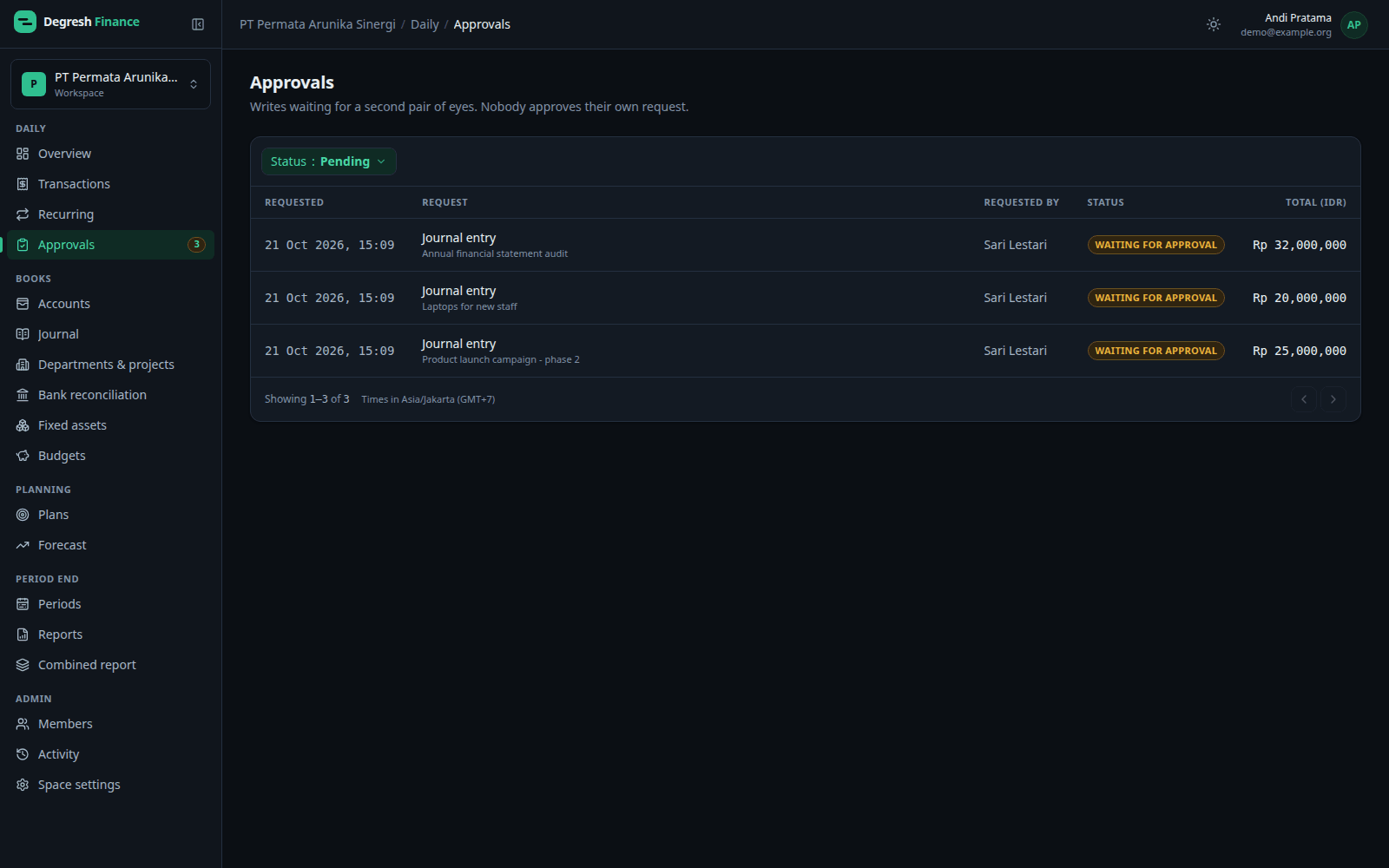
Set up routine transactions once, and have a second person check large writes.
- Recurring entries either post themselves on their date, or wait as a reminder until someone confirms.
- Reminders suit bills whose amount varies; amounts can change for that one time only.
- Approval applies from a threshold in the base currency — or to every write.
- Nobody approves their own request. Reversals and voids go through approval too.
Budgets and periods
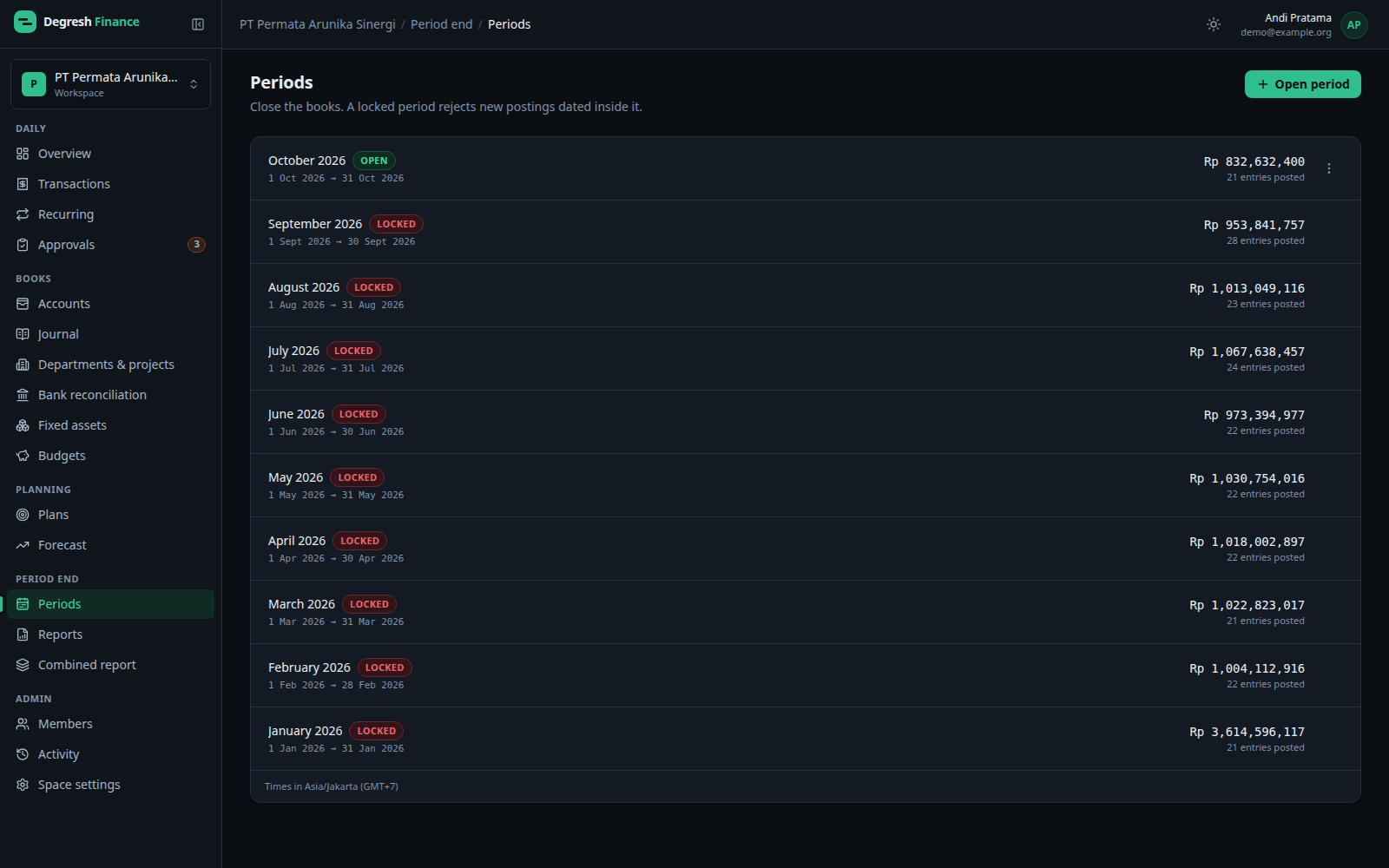
Cap spending per account, and close the books with periods you can lock.
- Budget plans with daily, weekly, monthly, annual or custom cycles.
- A limit on a group counts every account under it.
- Accounting periods open with a date range and lock at close.
- A locked period rejects new postings dated inside it.
Plans and forecast
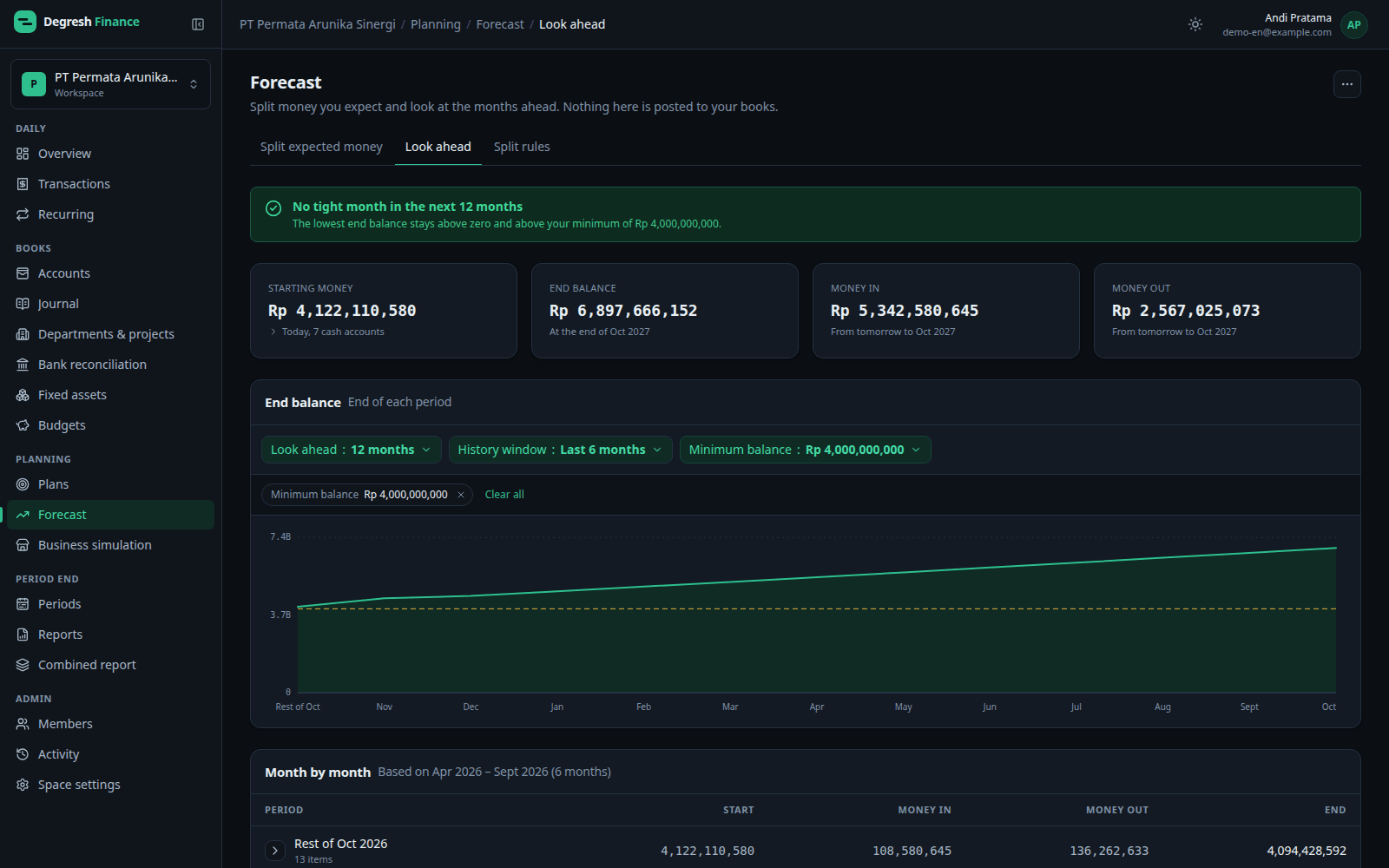
Work it out before you spend. All of this is kept apart from your books: it never posts entries and never shows up in reports or balances.
- “What if” plans with starting money, a start month, and expense or income lines, one-time or monthly.
- A month-by-month table with the money left, and a warning for the month the money runs out.
- Start a plan: each expense line is matched to an account and becomes an ordinary budget.
- Expected money in and out, and a cash look-ahead 3, 6 or 12 months out that flags when the balance drops below your minimum.
- Export plans, the cash look-ahead and simulations to PDF and Excel; every export is kept in Generated reports.
Business simulation
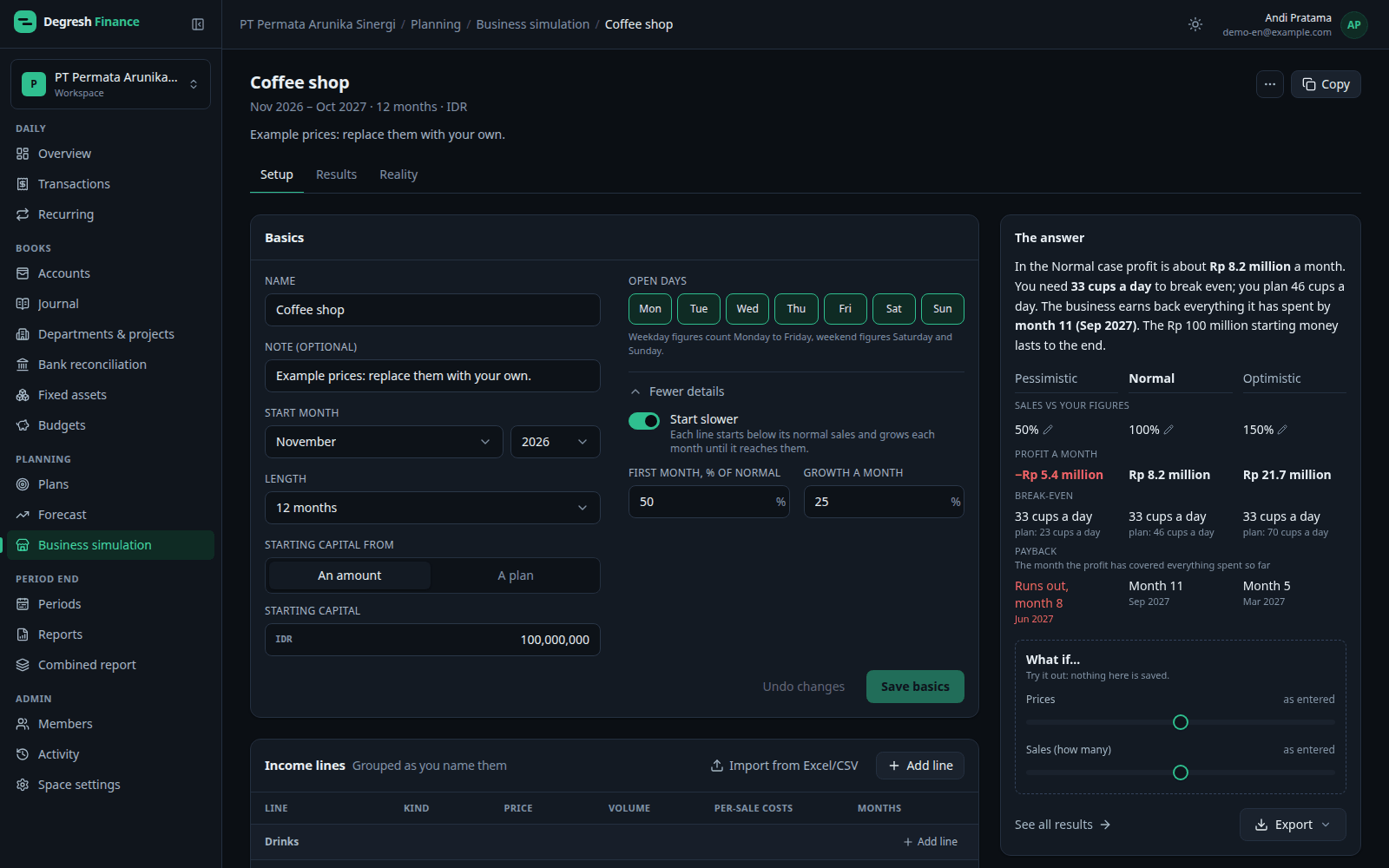
What a business could earn, and what it takes, before you start it.
- Sell items, jobs or hours, subscriptions, or a mix of many products.
- Start with five short steps: what you sell, prices, how many, costs and money, then the answer.
- Break-even in your own units, such as 33 cups a day, and the month profit has covered everything spent.
- Pessimistic, Normal and Optimistic side by side, with price and sales sliders to try a “what if” without saving anything.
- Check it against the real income in your books, and use a scenario as a plan's income.
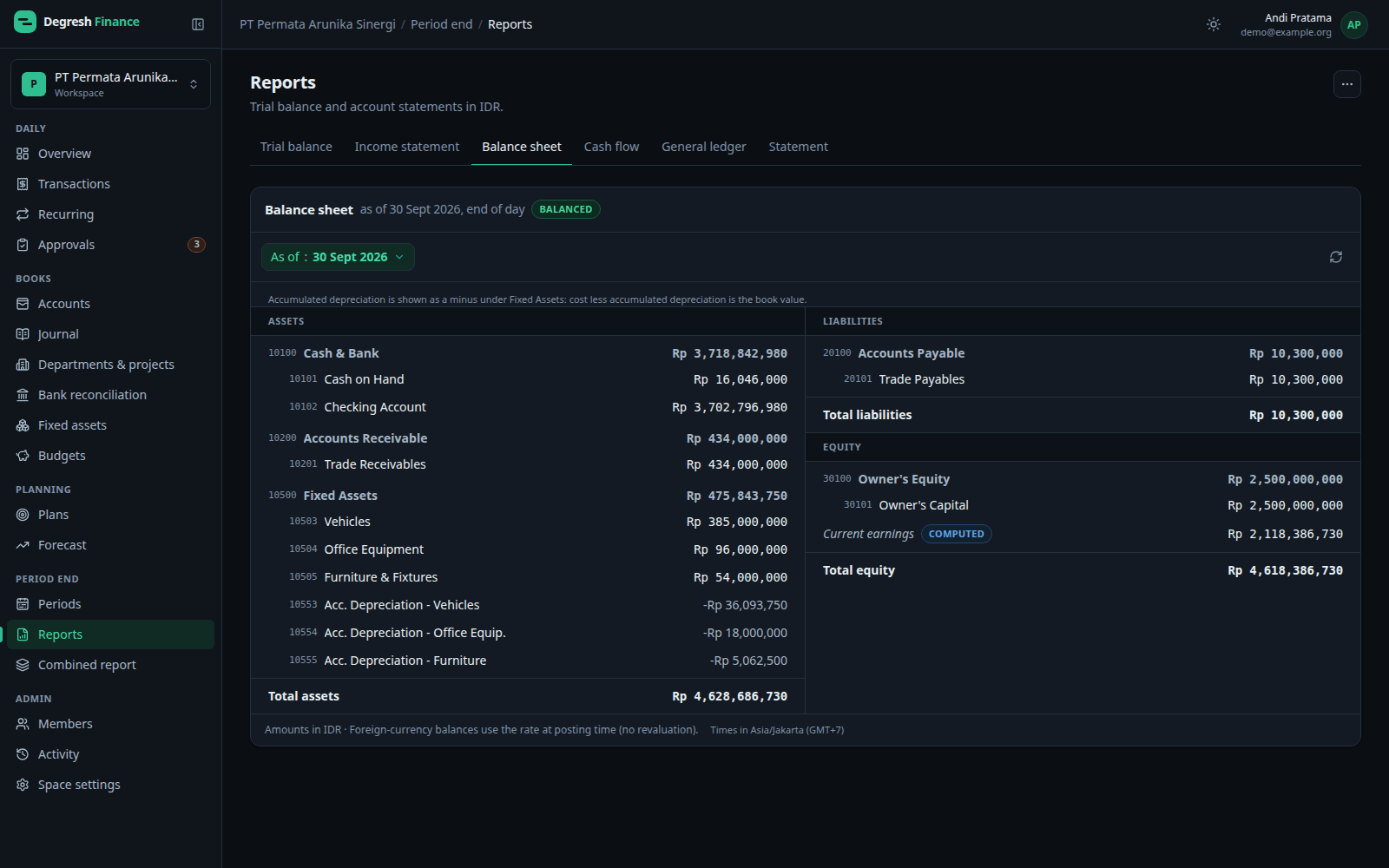
Financial reports
Reports come straight from the ledger, in the space's base currency.
- Trial balance, income statement, balance sheet and account statement.
- Cash flow statement by the indirect and direct method, with cash balance checks.
- General ledger (Buku Besar) for chosen accounts or groups.
- Export to PDF and Excel; every export is kept in the generated reports archive.
- Combined report: 2 to 20 spaces side by side, converted into one currency.
Bank reconciliation
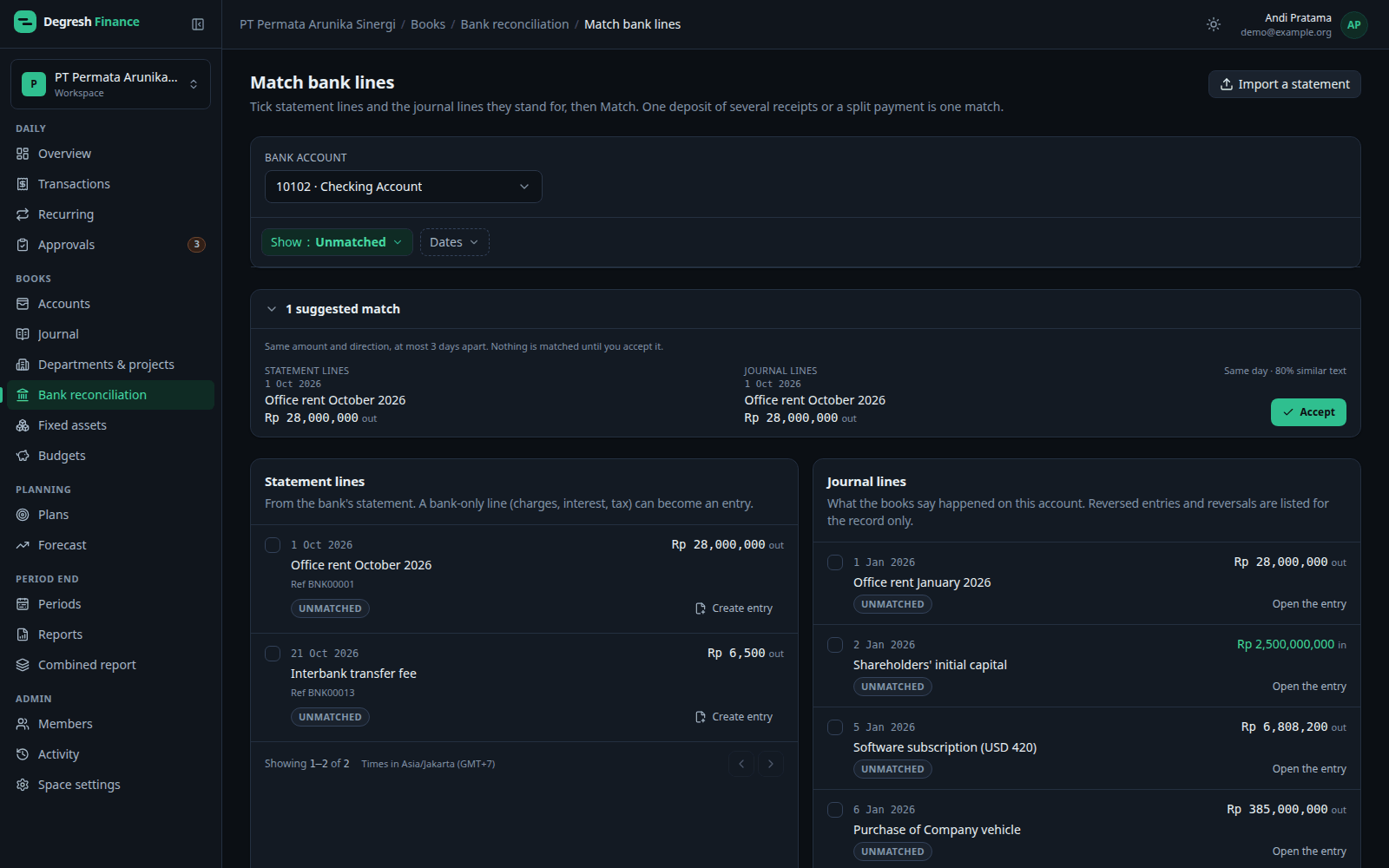
Match the bank statement to the books, line by line.
- Import one bank account's statement from Excel; lines imported before are skipped.
- Match suggestions: same amount and direction, at most 3 days apart. Nothing is matched until you accept it.
- Bank-only lines — charges, interest, tax — can become entries right there.
- A finished reconciliation locks its matches until an admin reopens it.
Fixed assets and depreciation
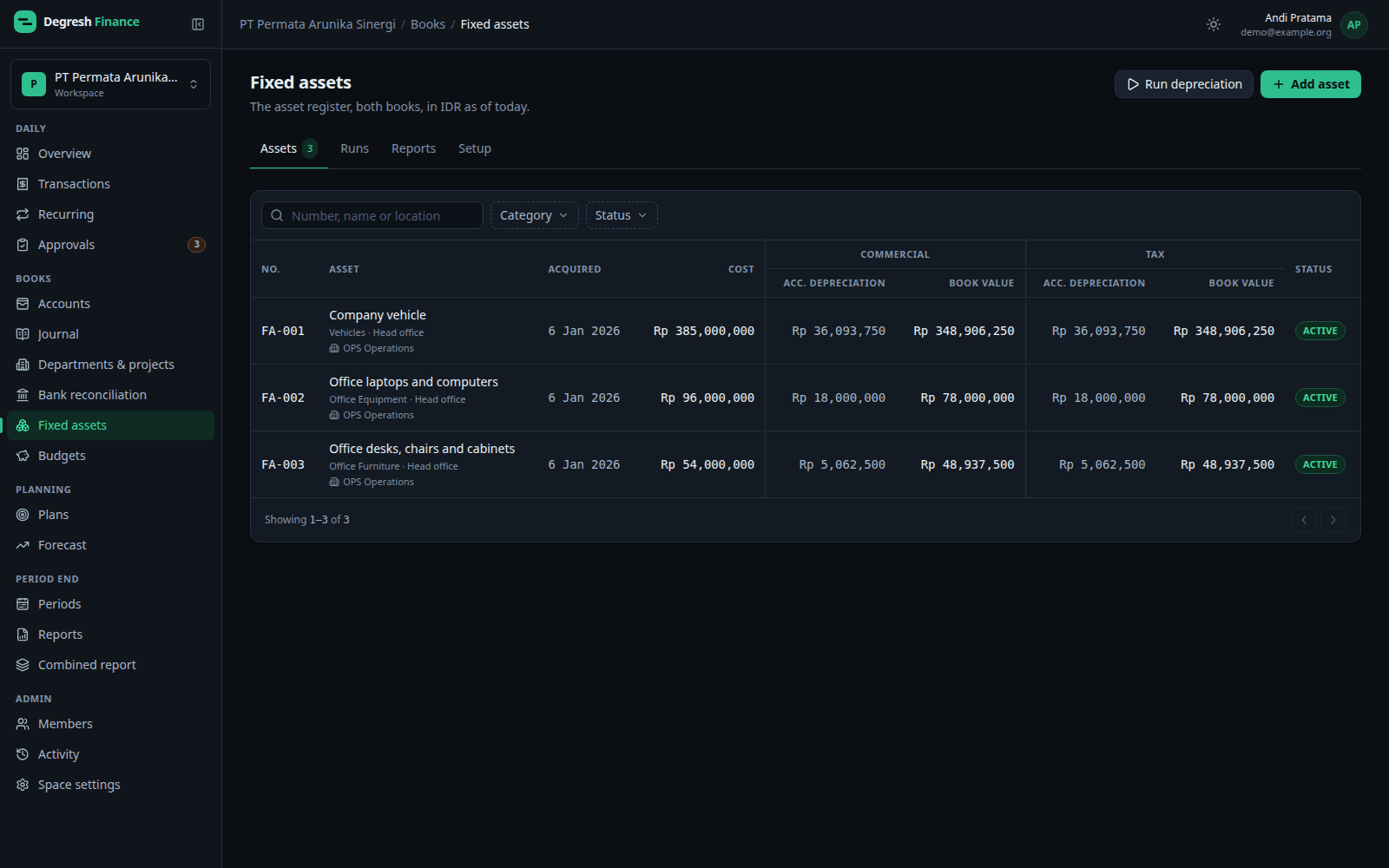
A fixed asset register with two books: commercial for the financial statements, tax for the tax return.
- Asset categories set the posting accounts, default useful life and tax group.
- Commercial book under PSAK 216 (formerly PSAK 16): monthly depreciation runs post to the ledger, catching up missed months in order.
- Tax book by asset group, Groups 1–4 and buildings (Income Tax Law Article 11, PMK 72/2023), stored and never posted.
- Deferred tax (PSAK 212, formerly PSAK 46) on the difference between the books — only the change is posted.
- Disposals, and automatic runs on a schedule.
Import, export and attachments
Bring data in from spreadsheets, and take reports out in the formats auditors use.
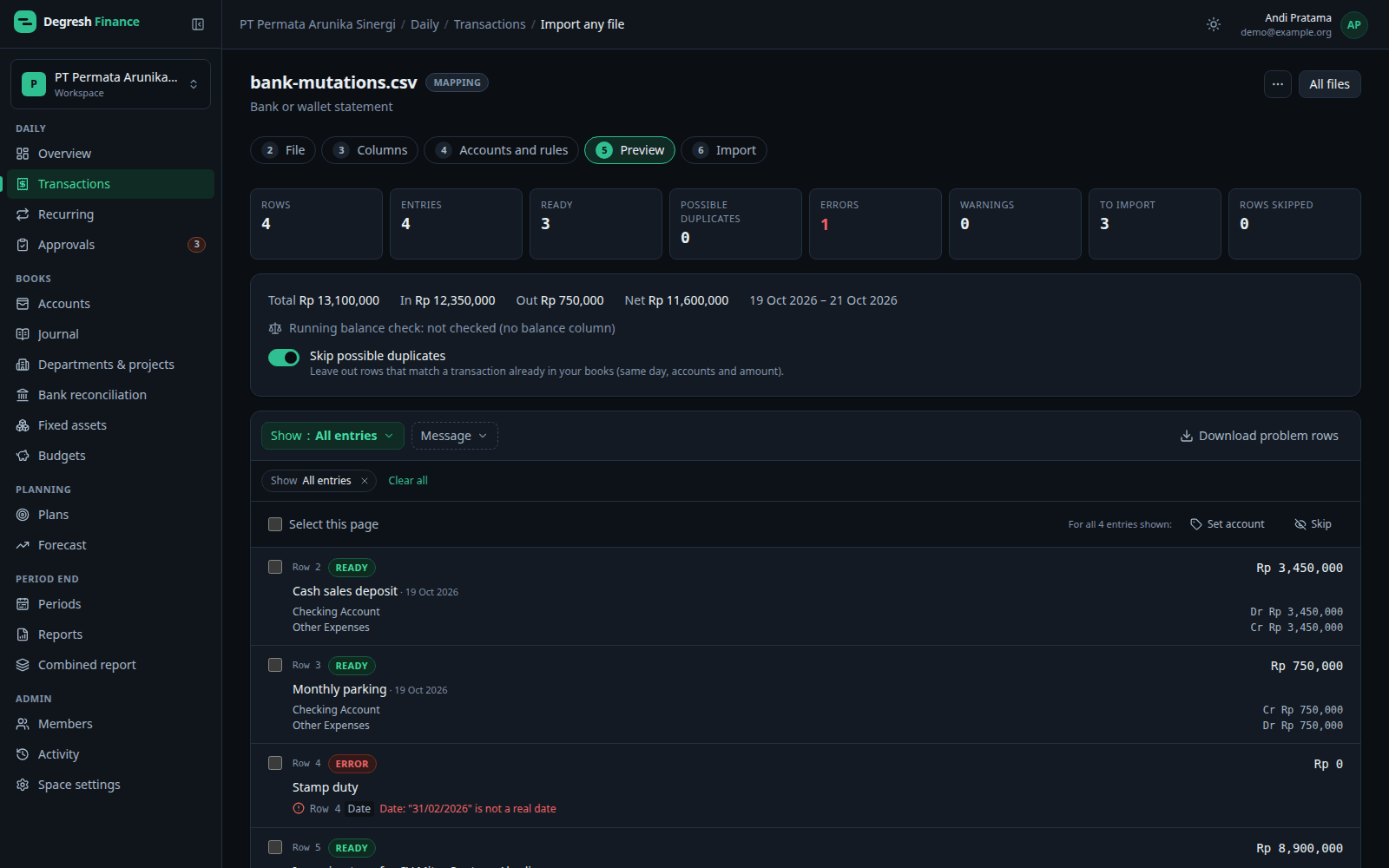
- Import transactions from Excel: Simple layout (one row per transaction) or Journal layout (several rows per entry).
- Rows that match existing transactions can be skipped; the same file isn't imported twice by accident.
- Import opening balances with a cutover date.
- Every file is checked first — nothing is saved until you accept the result.
- Export reports to PDF and Excel.
Language and theme
Work in the language and look that suit your team.
- The full interface in Indonesian and English.
- The space language sets starter account names and invitation emails.
- Dark and light themes.
Security and audit trail
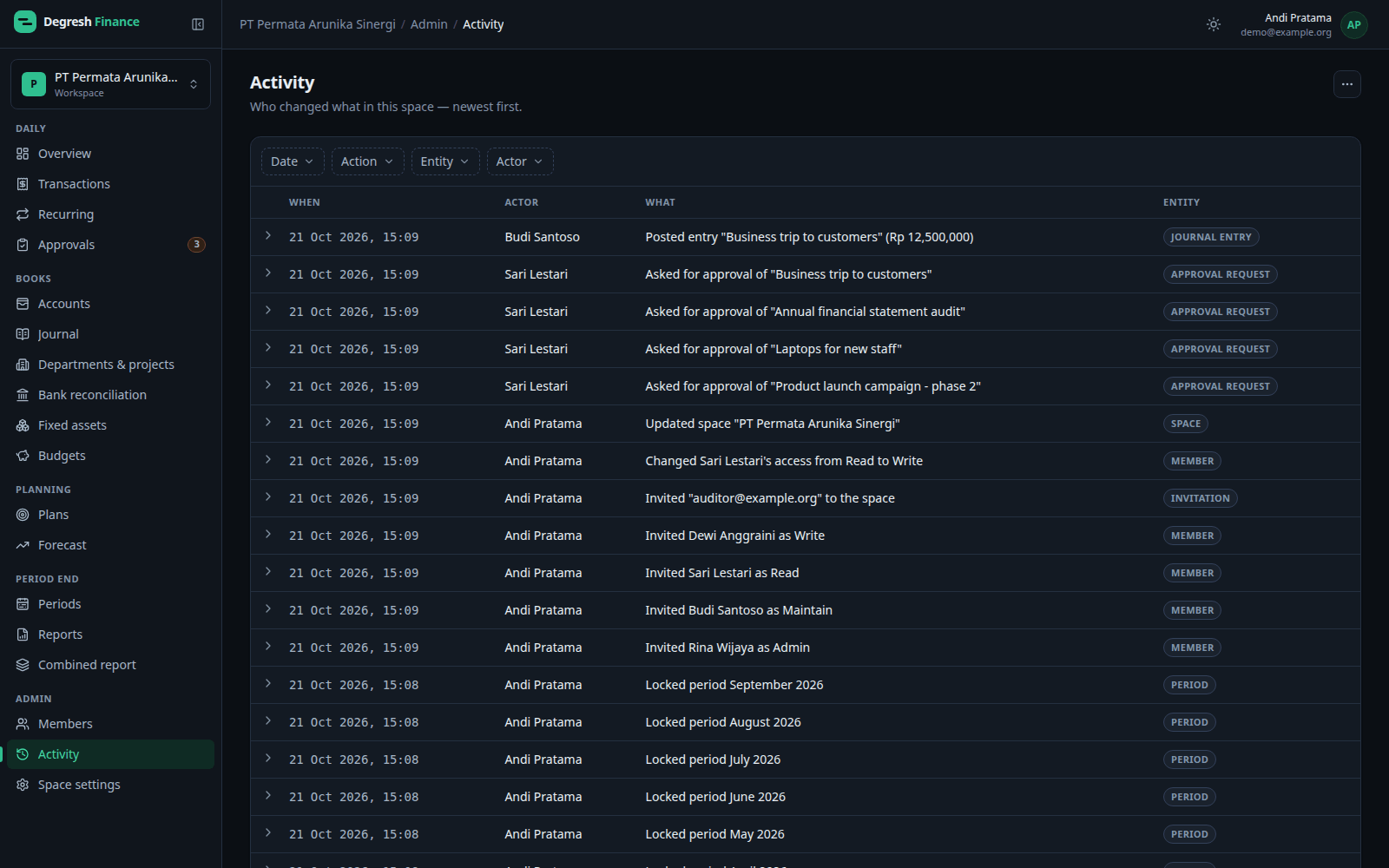
Who signed in, and who changed what, is always on record.
- Two-factor authentication with an authenticator app and recovery codes.
- Remembered devices, all forgotten when the password or two-factor settings change.
- Active sessions and a security activity history per user.
- A per-space activity log for admins and owners: who changed what, newest first.
Want to see it with data like yours?
Early access is opening in stages for personal and business users.